
Phone browser
Le Vampire App: How to Play the Slot from Your Phone
Checked: November 2026
The slot runs in the browser you already have. Log in at a casino that carries it, find the tile and spin.

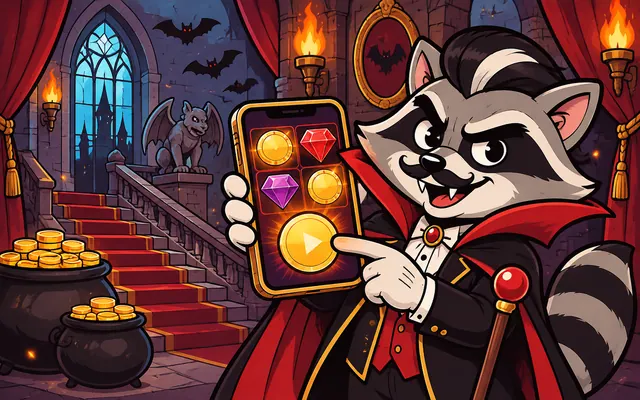
Players search for a Le Vampire app, but the slot itself loads in a phone browser, and a casino may add its own app on top. This page covers the taps on iPhone and Android, how much data a session uses and how to save battery.
In short
- Are the bonus rounds the same on a phone?
- Yes, Le Vampire on a Canadian phone has the same three bonus rounds: Coffin Break, Love at First Bite and Do Your Fang, each with 10 spins.
- Is there a Le Vampire app in Canada?
- A standalone Le Vampire app is not confirmed.
- Can I play Le Vampire on Android?
- Yes, Le Vampire runs in Chrome on Android in Canada.
- Can I play Le Vampire on iPhone?
- Yes, Canadian players can open the Le Vampire slot in Safari at a casino that offers it.
- Should I download a Le Vampire APK?
- No, you do not need a Le Vampire APK in Canada.
Is there a Le Vampire app?
The short answer: a standalone Le Vampire app from Hacksaw Gaming is not confirmed. The slot is a game inside casinos, so it opens in the browser of your phone. Some casinos also publish their own app, and if yours does, the slot may sit in its lobby. Check that inside the casino itself, not on a download page.
Why does the browser version work well? The 6x5 grid is built from the same pieces on a phone and on a laptop: clusters, cascades and the three bonus rounds. Nothing is cut down for the small screen.
Want to see the grid before you stake anything? The Le Vampire demo page shows where a practice mode may be offered, and the full slot breakdown covers features, RTP versions and the 15,000x max win.
Sign in and open the slot on your phone
The route is the same on any recent phone. Each step shows what you should see next.
- 1. Open the casino site. Use Chrome on Android or Safari on iPhone. The login page loads with the usual padlock beside the address.
- 2. Sign in. Enter your details. If the casino asks for ID checks, finish them now, not halfway through a session.
- 3. Search for the slot. Type the name in the lobby search. The Le Vampire tile appears with the provider's name under it.
- 4. Check the balance label. A C$ figure means cash. A play-credit label means practice mode.
- 5. Set the stake. Tap the bet control, pick a stake you set in advance and confirm. Published figures list €0.05 to €50 per spin, but your casino sets the range in C$.
- 6. Spin. One tap starts the round. Winning symbols vanish and new ones fall in until no cluster remains.
Turn the phone sideways if the game loads in a narrow frame. Hold it upright if you prefer one-hand play. Stay away from files that claim to be a Le Vampire APK on random sites: the slot needs no download, and an unknown installer is a risk with no benefit.
Pin a shortcut on iPhone
A home-screen shortcut skips the search and the bookmarks. It is not an app from the App Store, only a link with an icon. Here is the path in Safari:
- Open the casino page. Go to the lobby or the page where the slot tile sits, in Safari.
- Tap Share. The square with an arrow at the bottom of the screen opens a sheet.
- Choose Add to Home Screen. Scroll the sheet if you do not see it at once.
- Name it and tap Add. Pick a short name such as Le Vampire. An icon appears on your home screen.
Tap the icon and the casino opens in a clean full-screen view. You may need to sign in again, which is a good thing on a shared device. If the page opens in a normal tab instead, the shortcut is still useful as a quick link.
Pin a shortcut on Android
Chrome on Android handles it from the menu. Menu wording shifts between versions and phone makers, so treat the labels below as a guide.
- Open the casino page in Chrome. Land on the lobby or the slot's page.
- Tap the three dots. The menu sits in the top-right corner of the browser.
- Choose Add to Home screen. On some versions the option reads Install app. That makes a web shortcut, not a store download.
- Confirm the name. Tap Add. Long-press the icon if you want to place it on a particular screen.
If the option is missing, update Chrome or look under the menu entry for page tools. Samsung and other makers sometimes use their own browser with a similar menu. As on iPhone, a casino app, if it exists, is a separate thing from this shortcut.
Open it in your browser
Is there a Le Vampire app? Play the slot in your mobile browser, pin a shortcut to the home screen on iPhone or Android and keep data and battery in check.
Data, battery and notifications
A Le Vampire app search often comes down to one worry: will this drain my phone? The slot is heavier than a plain web page because of the animations that follow each win, but you control most of the load.
- Wi-Fi first. At home, Wi-Fi spares your mobile plan. Out and about, check how much data your plan allows before a long session.
- Screen brightness. Lowering it is the quickest way to save battery. The dark theme of the game helps too.
- Screen timeout. Do not disable it for the whole session. A timeout that locks the screen is a free break reminder.
- Background tabs. Close other apps and tabs. Cascades run smoother with fewer things open.
- Notifications. Allow casino alerts only if you want them. Switch off promotional pushes if they tempt you to open the slot.
If the game stutters, reload the tab once, then switch networks. A phone that runs hot needs a break more than a fix.
Phone play with limits: a safer routine
The phone is always in your pocket, which makes it easy to play on impulse. A few habits put guard rails in place before you tap the button.
- Set a deposit limit. Do it in your account settings before the first spin, not after a bad run.
- Start a timer. Use the clock app or the casino's reality check. When it rings, stop at the end of the round.
- Lock the screen. Use a passcode or Face ID so nobody else can open your session.
- Log out. Sign out when you finish, especially on a shared or borrowed phone.
- Keep one stake. Choose it before you start, and do not raise it to chase a loss.
Rules differ by province. Ontario has its own regulator, the Alcohol and Gaming Commission of Ontario, and ConnexOntario offers free, confidential help. When you are ready, open the slot breakdown or head straight to the game.
Frequently asked questions
Phone questions from Canadian players.
Is there a Le Vampire app in Canada?
A standalone Le Vampire app is not confirmed. In Canada the slot opens in your phone browser at casinos that carry it, and some casinos also have their own app.
Can I play Le Vampire on iPhone?
Yes, Canadian players can open the Le Vampire slot in Safari at a casino that offers it. A home-screen shortcut makes it one tap away.
Can I play Le Vampire on Android?
Yes, Le Vampire runs in Chrome on Android in Canada. Add the casino page to your home screen from the browser menu for quick access.
Should I download a Le Vampire APK?
No, you do not need a Le Vampire APK in Canada. The slot runs in the browser, and files from unknown sites can harm your phone.
How much data does Le Vampire use on mobile?
Le Vampire in Canada uses more data than a plain page because of animations. Wi-Fi is the safe choice, and your plan's usage screen shows the actual cost.
Are the bonus rounds the same on a phone?
Yes, Le Vampire on a Canadian phone has the same three bonus rounds: Coffin Break, Love at First Bite and Do Your Fang, each with 10 spins.
Is there a Le Vampire demo for phones?
A Le Vampire demo is not confirmed at every Canadian casino. Hacksaw Gaming's page has a Try it button, and the demo page explains where to look.